Transactions and schedules
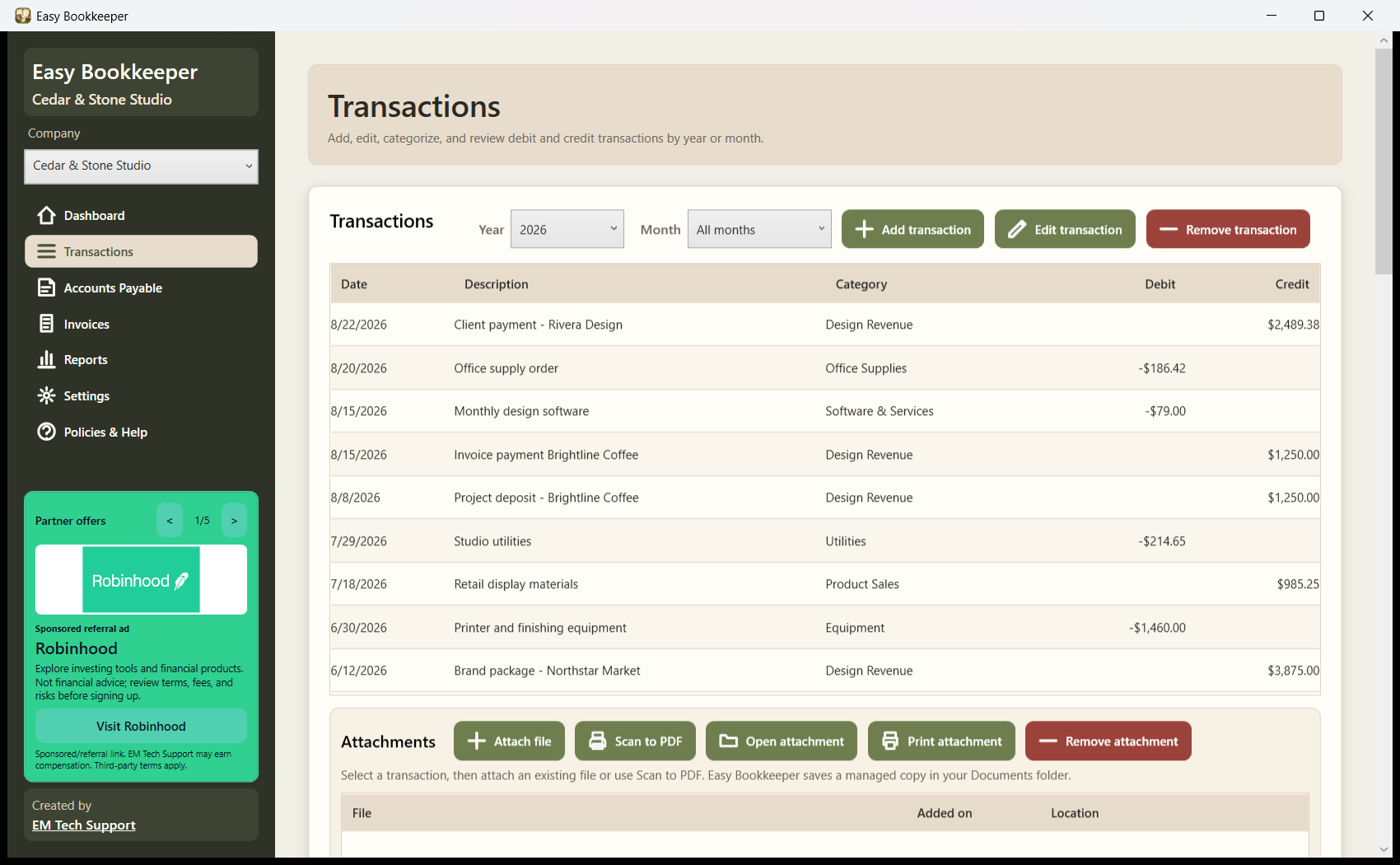
Create debit or credit transactions through a focused editor. Post one-time, weekly, monthly, or yearly entries across a selected date range, then edit an existing record without changing another entry.
Free Windows desktop bookkeeping app
Created by EM Tech Support
Keep transactions, invoices, payables, categories, attachments, reconciliations, fixed assets, and practical reports together in one clear desktop workspace.
Version 1.0.0 Windows 10/11 x64 Free to use 174 MB download
Easy Bookkeeper is designed for U.S. small businesses, independent professionals, and office teams that want an approachable Windows application without turning routine recordkeeping into a complicated project. Each company keeps its own profile, language, tax configuration, categories, records, documents, and reports.
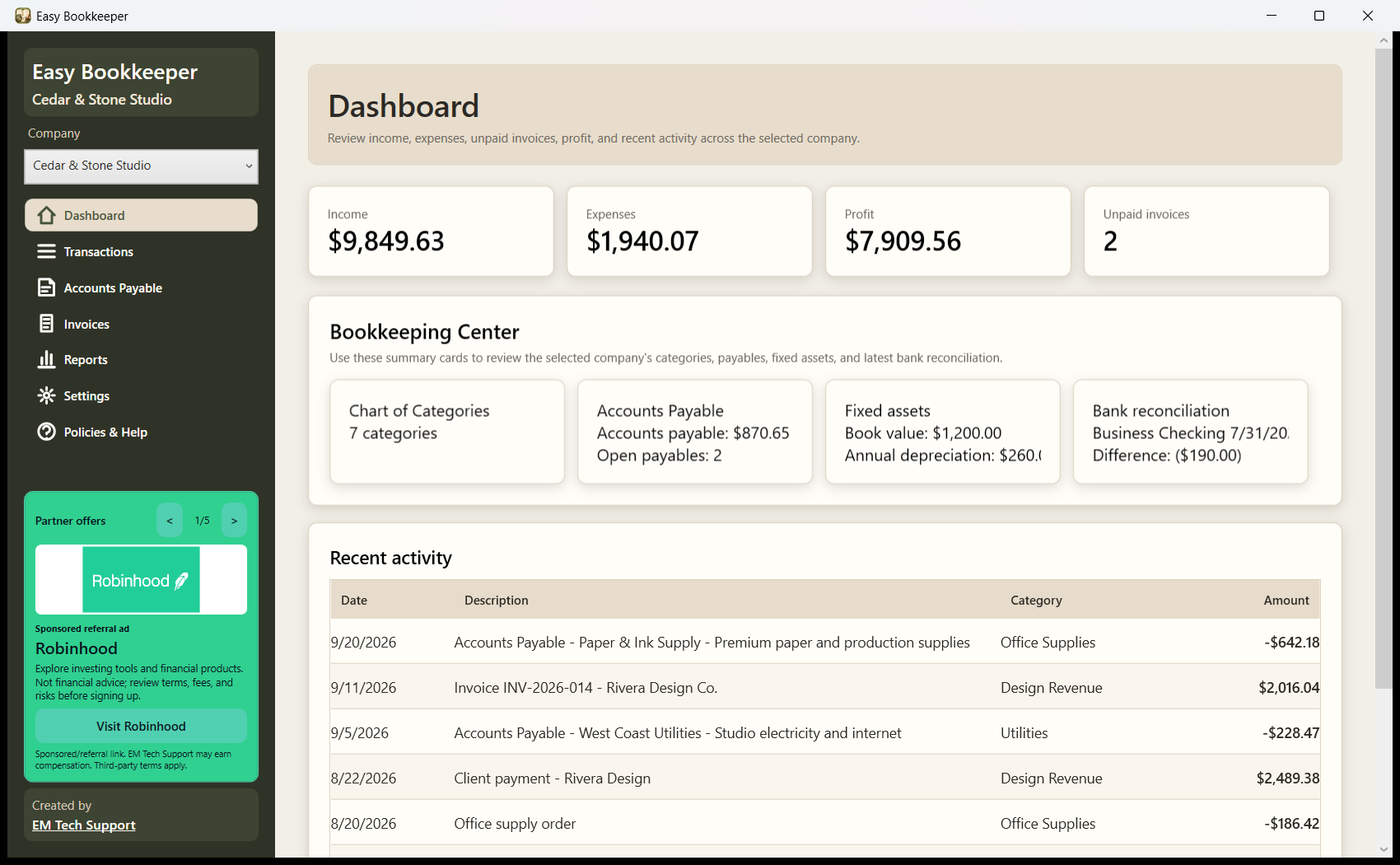
The main workflows are connected so edits, invoice status changes, and posted payments update related totals and dashboard summaries immediately.
Create debit or credit transactions through a focused editor. Post one-time, weekly, monthly, or yearly entries across a selected date range, then edit an existing record without changing another entry.
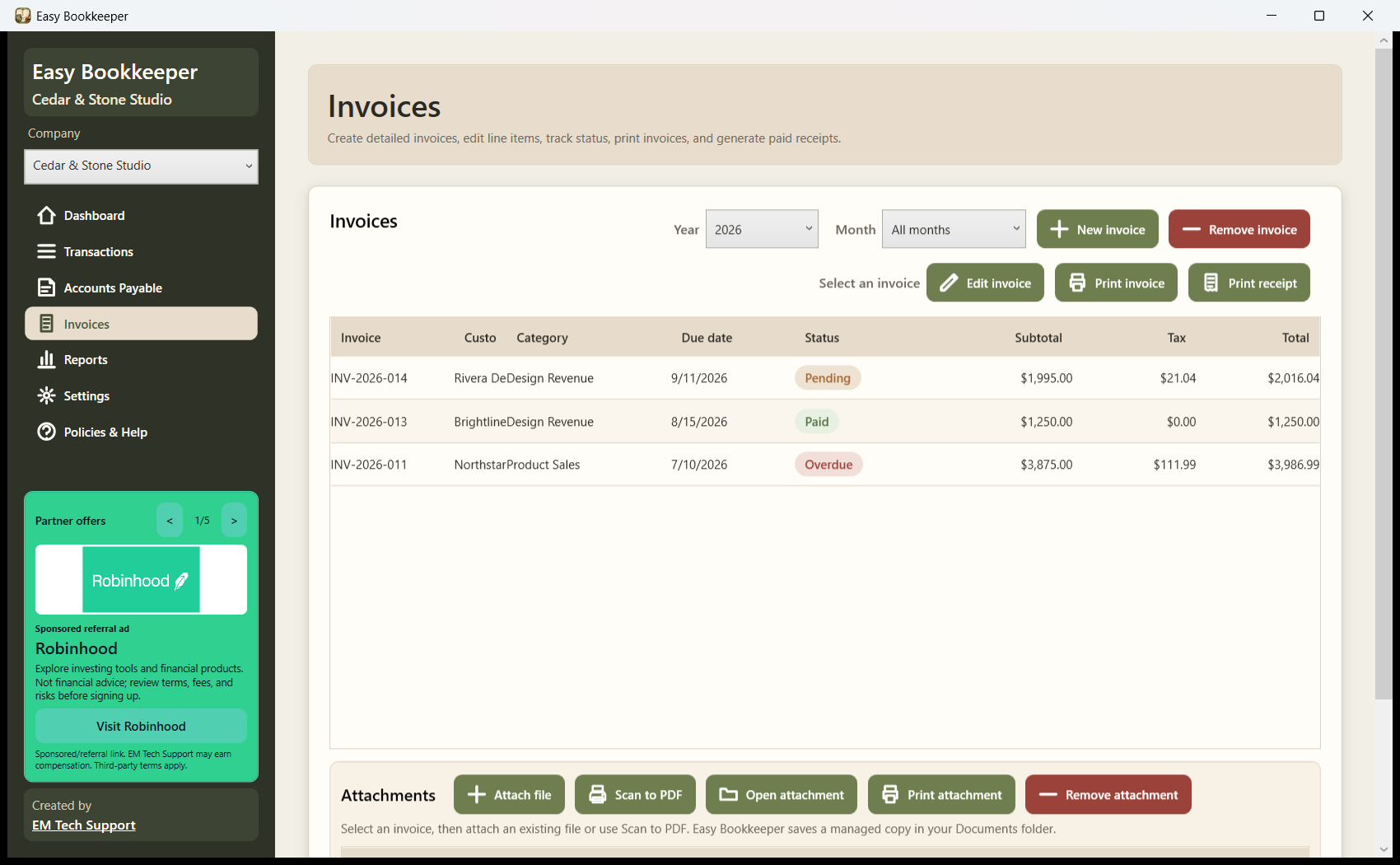
Build itemized invoices, use saved customers, assign categories, track pending, paid, or overdue status, print one invoice per page, and create a paid receipt with a clear PAID mark.
Record what is owed to vendors, including descriptions, categories, bill and due dates, amounts, paid status, recurring schedules, and supporting documents.
Control the Chart of Categories, record fixed assets and depreciation details, and reconcile the business checking record against bank statement balances.
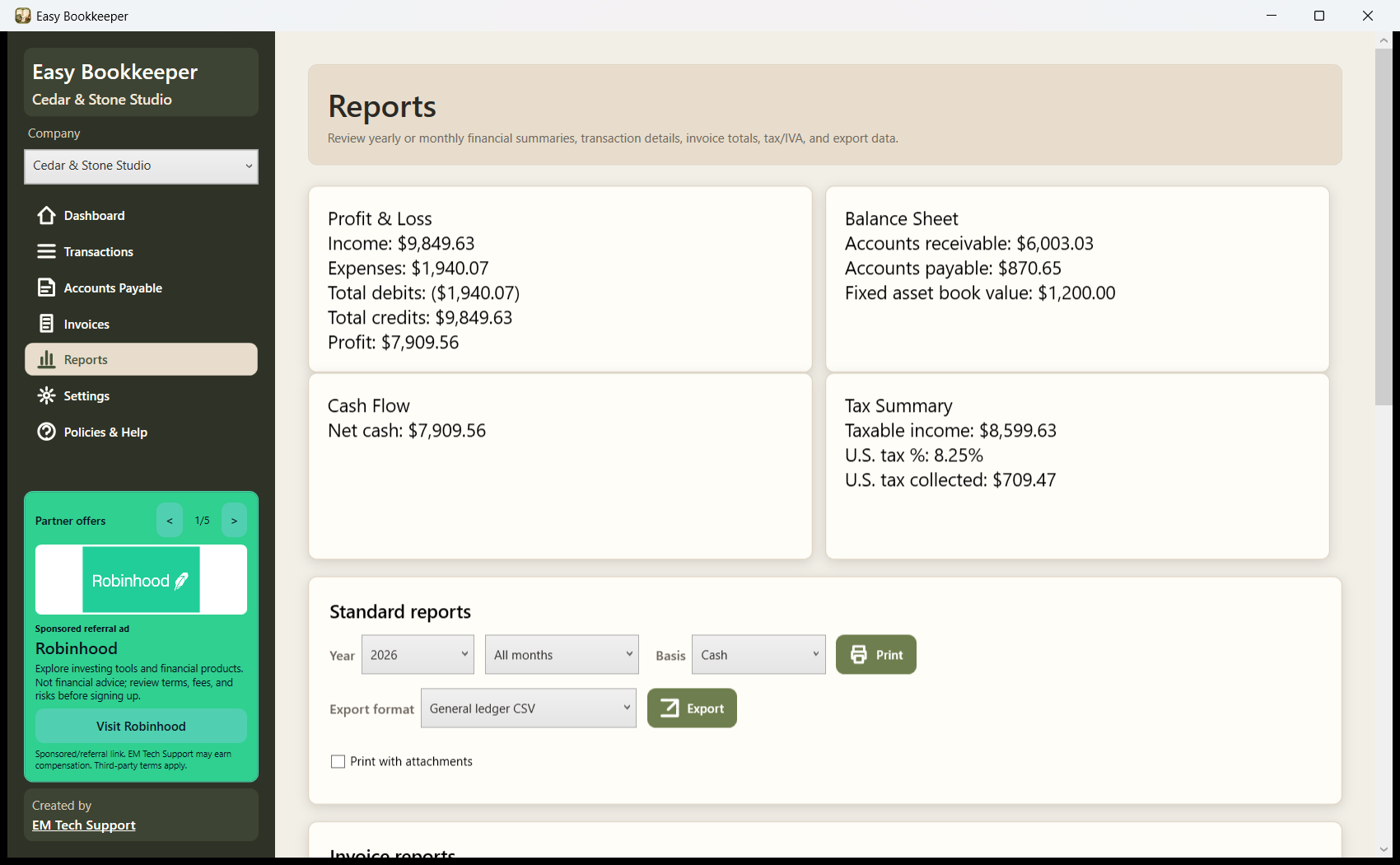
Review Profit and Loss, Balance Sheet, Cash Flow, tax summaries, ledgers, grouped transaction reports, invoice reports, and accounts payable details. Export general ledger, QuickBooks, Xero, or FreshBooks CSV formats.
Attach existing files or scan directly to PDF for transactions, invoices, payables, and fixed assets. Open, remove, or print selected attachments and optionally include them with reports.
Save English or Spanish and the selected tax system for each company. U.S. invoices support customer-specific tax rates and exclude service and labor lines from sales tax calculations.
Create encrypted backups for one company or all companies, restore on another computer, keep the latest five days of automatic backups, and use optional password, recovery-question, or USB-key access controls.
Earth colors, clear selection states, consistent controls, and print-ready documents keep the experience polished without getting in the way of repeated bookkeeping work.
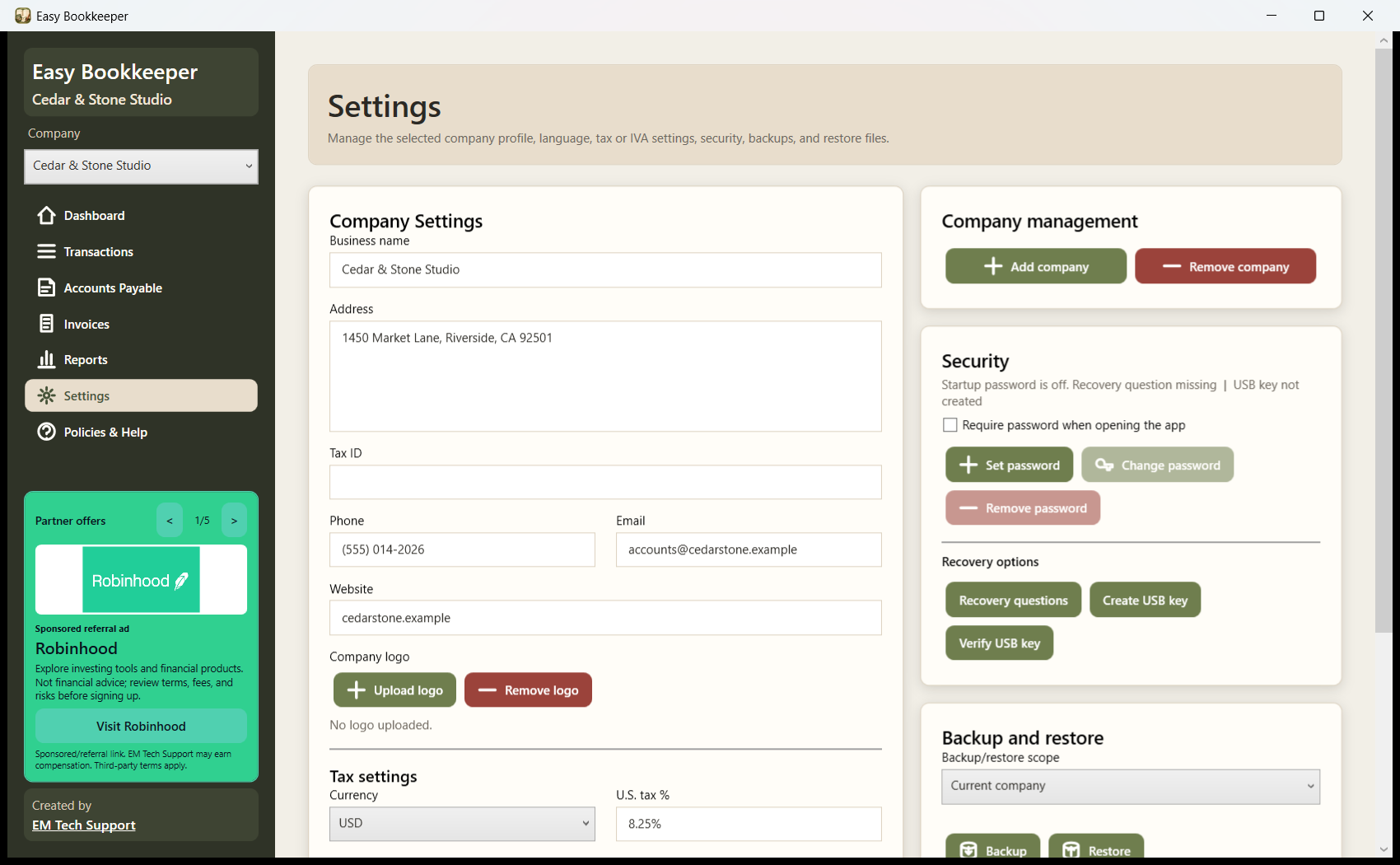
The workspace and app-created backup files use portable app-compatible encryption. This protects the bookkeeping database from casual reading while still allowing an app backup to be restored on another computer.
Encryption is one layer of protection. Users should also secure their Windows account, use device encryption when available, keep off-device backups, protect USB recovery keys, and limit access to exported files and printed records.
The free app may display sponsored or referral placements from EM Tech Support. Local bookkeeping records are not provided to advertisers by the app. A third party may collect information under its own policy after a user chooses to open its external link. Read the ad disclosure.
Version 1.0.0 is signed with an EM Tech Support self-signed code-signing certificate. Windows may display an unfamiliar-publisher or SmartScreen notice until the certificate has established trust. Download only from emtechsupport.com and verify the checksum before running it.
Installer: EasyBookkeeperSetup-1.0.0.exe (182,464,664 bytes)
SHA-256: de1d8b12bf2df3fe3a9bdc23f7da054c596b71406dcd06a2c1ea2f9d4f101ec2Easy Bookkeeper helps users record and organize information. It does not provide accounting, tax, legal, investment, payroll, or regulatory advice, and it does not guarantee that records, classifications, reports, tax settings, or exports satisfy a user's particular obligations. Users remain responsible for reviewing their data, maintaining backups, following applicable law, and consulting qualified professionals when appropriate.
This release is distributed for the United States market. The app includes Spanish interface support and an optional Mexico IVA calculation setting, but it is not offered as Mexican accounting or tax-compliance software and is not intended for distribution in Mexico.
By installing or using the app, users agree to the applicable policies presented by the installer and published online. The installer contains an offline copy for review before installation.
External links may be sponsored or referral placements; EM Tech Support is not responsible for third-party content, offers, pricing, services, or outcomes.

Sponsored referral ad
Explore investing tools and financial products. Not financial advice; review terms, fees, and risks before signing up.

Sponsored banking referral ad
Explore Chase banking and card offers through this referral link. Review all account terms, fees, eligibility requirements, rewards, and disclosures directly with Chase before applying.

Business tool ad
Cloud email, documents, calendars, and collaboration tools for business productivity.
Business software ad
Productivity apps, cloud storage, and business communication tools for modern teams.

Available ad space
Replace this sample with a referral, sponsor, or affiliate offer. Add the partner logo and set brand colors in includes/ads.php.